Buyer intelligence for bankers and business brokers
Know who buys companies like the one you’re selling.
A continuously refreshed database of private equity firms, their portfolio companies and the decision-makers at both, with the acquisition criteria and operating characteristics bankers and brokers actually screen on. One project per deal; a buyer list you can refine, correct, annotate and export.
Live database counts are unavailable right now.
What's in the database
Real counts, read from the database as you load this page.
Every record is built from public company websites and carries its source. A value that was not found stays empty; it is never estimated.
Live counts are unavailable right now: the database could not be reached when this page was rendered. Nothing below is estimated; the dashes mean unknown.
- Companies
- —
- PE firms
- —
- Portfolio companies
- —
- Strategic acquirers
- —
- Family offices
- —
- Search funds
- —
- People
- —Owners, executives, partners and deal teams
- Verified emails
- —Confirmed by a positive verification result
- Industries covered
- —NAICS-based taxonomy with plain-English names
- Last updated
- —
Counts are read from the database and refreshed every five minutes. Verified emails are addresses that returned a positive verification result; inferred addresses are shown as inferred and never counted here. Last updated is the newest crawl or extraction on record.
How it works
From a deal to a buyer list in three steps.
- 1
Create a project
One project per deal. Its criteria, corrections, notes and do-not-contact flags stay with the project and your organization; other firms never see them.
- 2
Set the criteria
Buyer profile, seller profile (including the seller's customers), deal profile and contact filters. The match count updates as you type. Every filter can include records where the value is unknown, on by default, so sparse data never hides a good target.
- 3
Refine, annotate, export
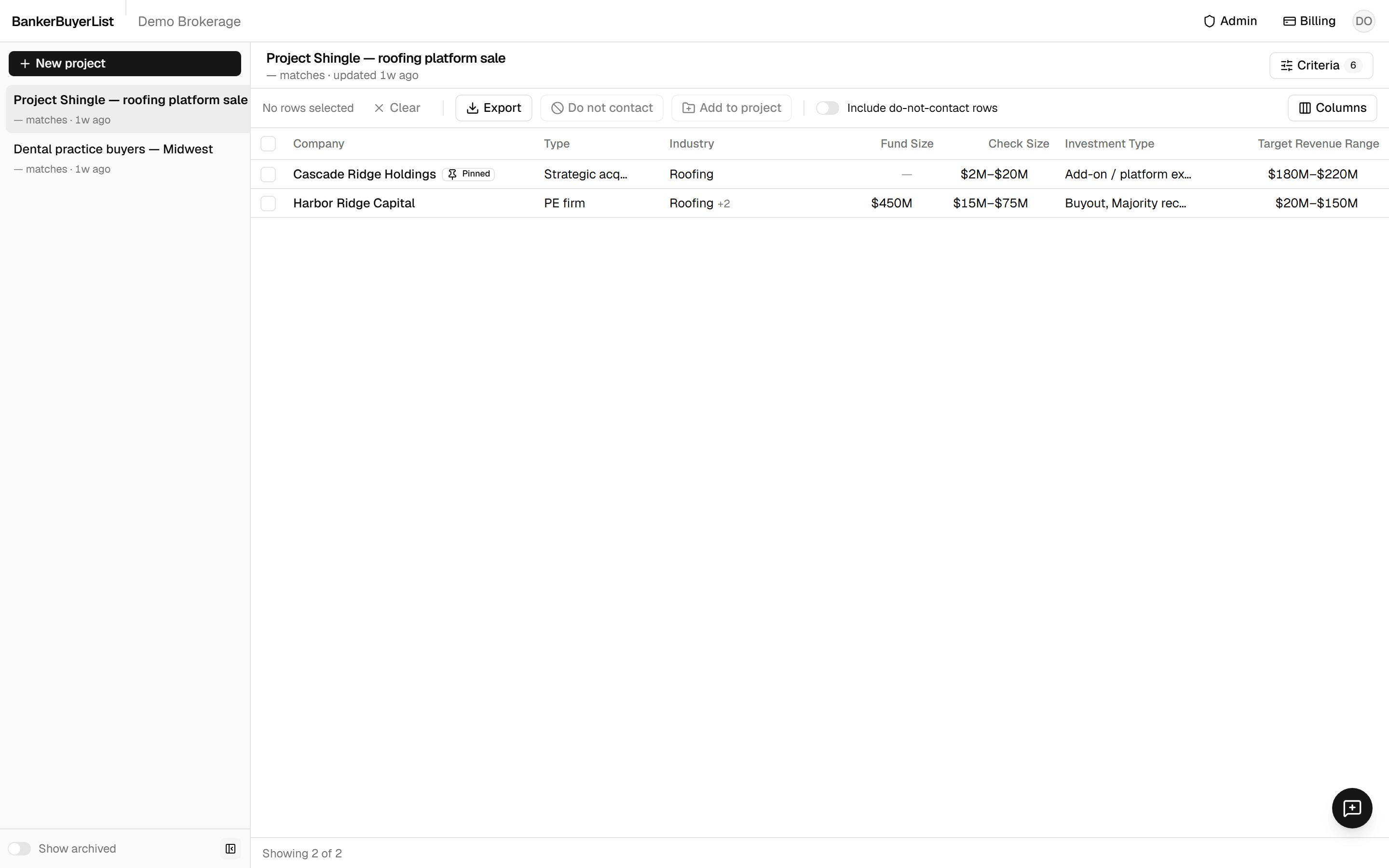
Work the list in a dense grid: expand a row for the full record and its people, check the source of any value, correct what is wrong, flag who not to contact, then export exactly the columns you see as CSV or XLSX.
Criteria
Filter on what bankers and brokers screen on, not on what a directory happened to list.
32 filters in 4 groups. Ranges take a min and max, enumerations are multi-select, text filters match anywhere in the scraped language. Each one has an “include unknown” toggle, on by default.
Buyer Profile9 filters
- Company type
- Fund size · USD
- AUM · USD
- Fund number · count
- Vintage year · year
- HQ country
- HQ state
- HQ metro
- Geographic focus
Seller Profile9 filters
- Revenue · USD
- EBITDA · USD
- EBITDA margin · %
- Employee count · count
- Revenue generation method
- Industry
Customer profile
- Customer type
- Customer income tier
- End-market industry served
Deal Profile7 filters
- Target check size · USD
- Investment type
- Platform deals
- Add-on deals
- Target industries
- Stated acquisition criteria
- Recent acquisition activity
Contact Filters7 filters
- Role category
- Has verified email
- Has any email
- Has direct phone
- Has LinkedIn
- Seniority
- Exclude do-not-contact
The workspace
A three-pane workspace built like a file explorer.
Projects on the left, the results grid in the middle, the full record and its people on the right. Dense on purpose: it is a working tool, not a dashboard.
Pricing
One plan. Everything included.
Each person at your firm subscribes on their own and shares the same projects, corrections and do-not-contact flags.
All-inclusive
$19.99 / monthper user
Everything in BankerBuyerList, billed monthly per user. Cancel any time.
- Unlimited projects, one per deal
- Full criteria set: buyer, seller, deal and contact filters
- Provenance on every field: source URL, extraction date, confidence
- Verified, inferred and unverified emails clearly distinguished
- Do-not-contact flags per deal and organization-wide
- CSV and XLSX export of exactly the columns you see
- Inline corrections that re-scrapes never silently overwrite
FAQ